Business continuity during move: you keep a business running through a move by deciding, before anything is packed, which activities cannot stop. Then you protect those first: the systems, the people and the customer contact that pay the bills. Everything else can wait a day or two. This guide walks you through that process step by step, in the order we’d tackle it if you were our client.
Moving is stressful enough without worrying that the phones will go down on Monday morning. The good news is that most disruption is predictable, and predictable problems are fixable with a bit of planning.
TL;DR
- Start with a business impact analysis: list your critical activities and how long each can be down.
- Treat internet, phones and servers as the first things to protect, and book a backup connection well before moving day.
- Move in phases where you can, and keep backups and security keys with a named person, never on the truck.
- Tell staff and customers early, and give them one point of contact for move week.
- Test the plan on paper before the move. A plan nobody has exercised is only a guess.
Table of Contents
- Start with what must not stop
- Keep the lights on: internet, phones and servers
- Build a timeline that spreads the risk
- Look after your people and your customers
- Our perspective: what we see on real moves
- Move day: keeping control
- How we can help
- Test the plan before you trust it
- FAQ
- Sources
Start with what must not stop, part of business continuity during move
Business continuity planning begins with a Business Impact Analysis. According to UK local resilience guidance, it identifies your most critical activities, the resources needed to perform them, and the impact over time if they were interrupted. It also looks at dependencies, such as key customers and IT, and sets the longest period each process can fail before it hurts.
For a move, you don’t need a 60-page document. You need an honest afternoon with your team leads and a whiteboard. Ask three questions for every function:
- What happens if this stops for an hour? A day? A week?
- What does it depend on: a system, a person, a supplier, a location?
- What is the minimum we need to keep it going somewhere else?
You will probably find that a handful of things matter enormously (taking orders, answering customers, invoicing, payroll) and plenty of others don’t. That is a relief. It tells you where to spend your effort and money.
A simple priority table
Here is an example of how the output might look for a 25-person professional services firm. Your figures will differ, so treat this as a template, not a benchmark.
| Function | Depends on | Longest acceptable downtime | Move-week fallback |
|---|---|---|---|
| Client phone lines | Phone system, internet | Under 1 hour | Divert to mobiles or a cloud phone service |
| Email and shared files | Internet, cloud tenancy | Under 4 hours | Staff work from home on laptops |
| Accounts and invoicing | Accounting software, finance lead | 2 working days | Finance lead works remotely |
| Printing and post | Printers, post room | 3 working days | Use a local print shop, redirect post |
| On-site meeting rooms | Furniture, AV | 5 working days | Book external rooms for key meetings |
Once you have your own version, you have the backbone of the plan. Everything below hangs off it.
Keep the lights on: internet, phones and servers. Part of business continuity during move
For most offices, technology is where a move goes wrong. The cause is rarely dramatic. It’s usually a broadband line that wasn’t installed on time, or a server that won’t restart in its new home.
Order connectivity early and add a backup
New business lines can take a long time to be installed, so order as soon as you have signed for the new premises. Then consider a second connection. One continuity specialist puts a secondary circuit from a different provider and physical path at roughly £200 to £500 a month, and calls it among the cheapest insurance a business can buy during a move. The same source warns that consumer broadband lacks the service guarantees needed for critical operations. You may only need the backup for the move period and the first few weeks afterwards, so ask about short contracts.
Rehearse the shutdown
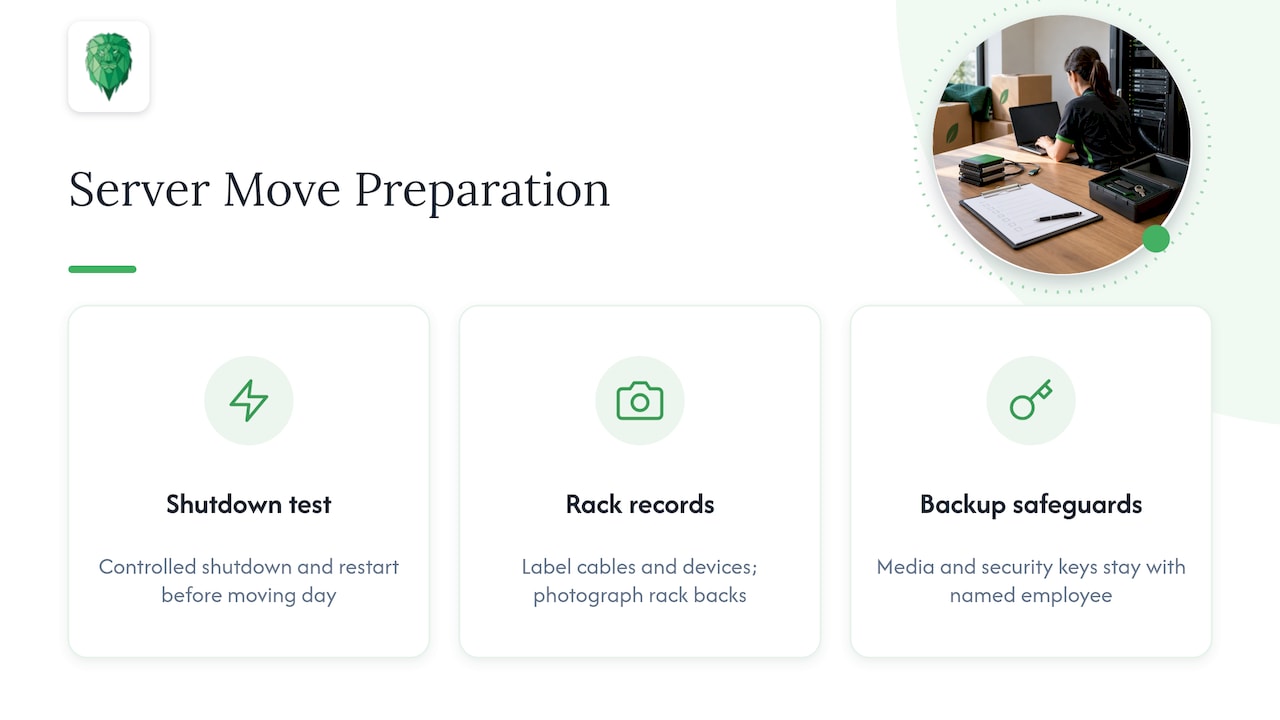
If you have on-site servers, do a controlled shutdown and restart in your current office before moving day. This flushes out problems with databases or applications that would otherwise appear only when you’re under pressure at the new site. Label every cable and device, and photograph the back of each rack before disconnecting it.
Our view is simple: keep backup media and security keys with a named employee, not on the removal vehicle. If the van is delayed, you can still restore from somewhere else.
If you’re moving a server room, our server rack relocation guide for UK IT teams covers the day in more detail.
Plan for the worst day, not the average one
Continuity planning should focus on the outcomes of disruption, not just its causes, as local resilience guidance puts it. In practice: whether the cause is a late fibre install, a damaged server or a locked building, the outcome is the same, which is that people can’t work. Your fallback (remote working, a backup line, a cloud phone system) should handle all of them.
Build a timeline that spreads the risk, part of business continuity during move
A move is a marathon, not a sprint. Spreading the work over several weeks means no single day carries all the risk.
Six to eight weeks before
- Complete your impact analysis and agree the priority table.
- Order internet, phone lines and any backup connection.
- Check your insurance. Our commercial move insurance checklist lists five questions to ask before a UK office move.
- Run a move risk assessment covering access, parking, lifts and manual handling.
Two to four weeks before
- Tell clients, suppliers and your bank the new address and the move date.
- Arrange mail redirection and update your website, email signatures and Google Business Profile.
- Start packing non-essential items: archives, spare stationery, seasonal stock.
- Agree who is the single contact for move week.
The final week
- Back up everything and verify that you can restore it.
- Pack and label by team and by priority, so critical teams unpack first.
- Confirm remote-working access for everyone, including VPN and phone divert.
- Hold a short briefing so each person knows where to go on the first morning.
Phase it if you can
Moving in waves, with non-critical teams and storage first and critical teams last, keeps your core running from the old office until the new one is ready. IT specialists often do this over consecutive weekends. If the lease allows an overlap of even a few days, it is worth paying for. It turns a cliff edge into a gentle slope.

Look after your people and your customers
Continuity isn’t only systems. A move can unsettle staff, and customers tend to notice the wobble before you do.
Staff
Tell people early and tell them the practical details: the new commute, parking, where their desk is, what to pack and what to leave. Give a clear answer to the question every team asks, which is whether they are working from home during the move. Name a person for questions so managers aren’t fielding the same query twenty times.
Ask team leads to flag anything they depend on that you’ve missed. A label printer, a franking machine or a specific monitor setup can be the thing that holds up a whole department.
Customers and suppliers
Keep the message short: the date, the new address, and how to reach you in move week. If you take calls, confirm your divert is working the day before. If you receive deliveries, rearrange them away from the move dates. For anything time-sensitive, such as a client deadline falling in move week, speak to the client personally.
Check your own contracts too. Some service providers need notice to change an address, and a missed notification can delay a line or a delivery.
Our perspective: what we see on real moves, part of business continuity during move
We’ve been moving homes and offices across the UK for over 15 years, and the pattern is consistent. The moves that go smoothly aren’t the ones with the biggest budgets. They’re the ones where someone made the list of critical things early and held to it.
Here’s what we’d tell any business owner:
- Decide your first-morning plan before you book anything else. If you know exactly what must work on the first morning, the rest of the schedule falls into place around it.
- Treat IT as a separate workstream. Servers, Wi-Fi and video conferencing need their own plan and their own owner. That’s why we offer server relocation and Wi-Fi and video conference system installation and reinstallation as part of an office move.
- Protect fragile and valuable items properly. Specialist equipment, art and pianos need proper handling and the right insurance cover, not a spare corner of a van.
- Build in slack. If access is delayed or a lift is booked by another tenant, extra waiting time costs money. Our waiting time is £24 per hour per man, so a realistic schedule and clear access arrangements save you more than any discount would.
- Pack for the unpack. Colour-coded labels by team and priority mean your critical staff are working again in hours, not days.
None of this is glamorous, but it works. A calm move is almost always a well-listed move.
— Claudiu
Move day: keeping control, part of business continuity during move
On the day itself, your job is to make decisions quickly and keep the order of play clear.
- Walk the old site first thing with the move lead. Confirm what goes first and what stays until last.
- Move critical equipment on the final run, or hand-carry it. Laptops, backup drives and security tokens stay with their named owners.
- Set up the new site in priority order: power, network, phones, then desks and the rest.
- Check the basics before anyone leaves: internet speed, phone divert switched off, printers working, door access and alarms set.
- Keep a list of snags and assign each one an owner and a deadline.
Take dated photos of both sites before and after. If anything is damaged, evidence makes any claim much easier. Our inventory photo guide shows how, and it works just as well for offices as for homes.
If you’re moving high-value stock or equipment, find out how your cover works. Our article on goods in transit versus liability cover explains the difference, which many people only discover when they need to claim.
How we can help
If you’d rather hand the heavy lifting to a team that has done it many times, our office relocation service covers the move itself, server relocation, and Wi-Fi and video conference system installation and reinstallation. We also offer packing, furniture disassembly and assembly, and storage if your new space isn’t ready on day one. Tell us your critical functions and your timeline, and we’ll build the move around them. You can start with an instant quote on our main site, or read about relocating a company first.
We work in many areas, including London, Manchester and Reading.
Test the plan before you trust it, part of business continuity during move
Official guidance is clear that a continuity plan isn’t valid until it has been exercised and shown to work. It also recommends reviewing plans at least annually and after significant changes such as a relocation. So your post-move review is part of the job, not an optional extra.
You don’t need a full live rehearsal. According to continuity specialists at Navpoint Group, a well-run tabletop exercise, where stakeholders walk through scenarios together, can reveal around 80% of potential weaknesses at a fraction of the cost and disruption of a full simulation.
Try a 90-minute session two weeks before the move. Give the group a few problems and see how they respond:
- The broadband install is delayed by five days.
- The lift at the new building is out of service on moving day.
- A key member of staff is off sick, and they were the only one who knew the server setup.
- A client calls the old number and hears nothing.
Write down every gap, assign an owner, and fix it before the week begins. Afterwards, update the plan with what you learned, so it’s ready for next time.
FAQ
What is the first step in business continuity planning for a move?
The first step is a Business Impact Analysis. List your critical activities, what each depends on, and how long each can be down before it causes serious harm. That list tells you what to protect first and where a backup is worth paying for.
How do I keep phones and internet working during an office move?
Order new lines as early as possible and consider a short-term backup connection from a different provider. Set up a phone divert or cloud phone service so calls reach staff wherever they are, and test it the day before. Keep a remote-working option ready in case anything slips.
Should I move everything in one day?
Not necessarily. Phasing the move, with non-critical teams and storage first and critical teams last, keeps your core operations running while the new site is checked. If your lease allows a short overlap, it is usually worth paying for.
How often should a business continuity plan be updated?
UK official guidance advises reviewing it at least annually, and again after significant changes such as a relocation, restructuring or new systems. A move is exactly the kind of change that makes an old plan out of date, so review it once you’ve settled in.
Sources
- Staffordshire Prepared, local resilience guidance
- JSP 503: Business Continuity Management, Edition 5, GOV.UK
- How to Test a Business Continuity Plan, Navpoint Group
- Navpoint Group