Efficient office moving process, relocating your office is one of the most disruptive events a business can face. When it goes wrong, the costs stack up fast. Lost productivity costs for UK SMEs during poorly planned moves can run into thousands of pounds per day. And that figure climbs sharply with headcount.
But here’s the reassuring truth: with the right preparation, you can keep disruption to an absolute minimum, protect your revenue, and have your team back at full speed faster than you’d expect. This article gives you a practical roadmap to do exactly that.
Table of Contents
- Understanding the true cost of downtime during office relocation
- Planning for an efficient office move: Key steps and requirements
- Executing your office move: Minimising disruption and downtime
- Post-move verification: Ensuring a smooth transition and full productivity
- Why most office moves fail to achieve minimal downtime—and how to get it right
- Efficient office move? Van-247 helps you minimise downtime
- Frequently asked questions
Key Takeaways
| Point | Details |
|---|---|
| Downtime drives cost | Every day of operational disruption can cost thousands, making efficient moves critical. |
| Plan parallel infrastructure | Keeping both sites operational minimises your outage window and productivity loss. |
| Test connectivity early | Pre-testing telecoms and IT avoids Monday morning chaos and ensures a smooth start. |
| Stepwise execution matters | Follow structured checklists and move plans to reduce mistakes and hidden costs. |
| Leverage expert support | Specialised moving services help streamline coordination and prevent common pitfalls. |
Understanding the true cost of downtime during office relocation, efficient office moving process
Before we get into the how, it’s worth pausing on the why. Many business owners underestimate what a day of downtime actually costs. It’s not just about staff sitting idle. Think about missed client calls, delayed deliveries, lost sales, and the knock-on effect on your reputation.
Downtime costs for SMEs vary by headcount, but the numbers are sobering. A small business with 30 employees could lose £5,000 or more in a single unplanned day of disruption. Scale that up to 100 employees with complex IT infrastructure, and you’re looking at figures that could seriously dent your quarterly results. Poor planning compounds this. An IT cutover that’s rushed or badly sequenced can double or even triple the effective downtime compared to a well-managed migration.
| Business size | Approximate daily downtime cost | Key risk area |
|---|---|---|
| 10 to 30 employees | £2,000 to £8,000 | Connectivity loss, manual workarounds |
| 30 to 50 employees | £5,000 to £15,000 | IT cutover, client-facing disruption |
| 50 to 100 employees | £10,000 to £25,000+ | Systems failure, supply chain delays |
| 100+ employees | £25,000+ per day | Multi-site coordination, reputational risk |
The indirect costs are just as damaging. Staff morale takes a hit when a move feels chaotic. Clients notice when your team is unreachable. And there’s a ripple effect through your supply chain, as the cost impact in the transport sector shows: delays in one link affect the whole chain.
Here’s what makes this worse: most downtime during office moves is avoidable. The businesses that suffer the most are usually those that treated the relocation as a logistical task rather than a business continuity event. Approaching it differently, with minimising downtime in office moves as the central goal from day one, changes everything.
There’s also a subtler cost that rarely appears on any spreadsheet: the loss of institutional momentum. When your team spends days unpacking, troubleshooting connectivity, and hunting for misplaced equipment, the creative and commercial energy of your business stalls.
Recovery takes longer than most leaders anticipate. That’s why office relocation analysis consistently points to upfront investment in planning as the single highest-return activity before any move.
With the financial risks clear, it’s crucial to prepare your relocation with efficiency in mind.
Planning for an efficient office move: Key steps and requirements, efficient office moving process
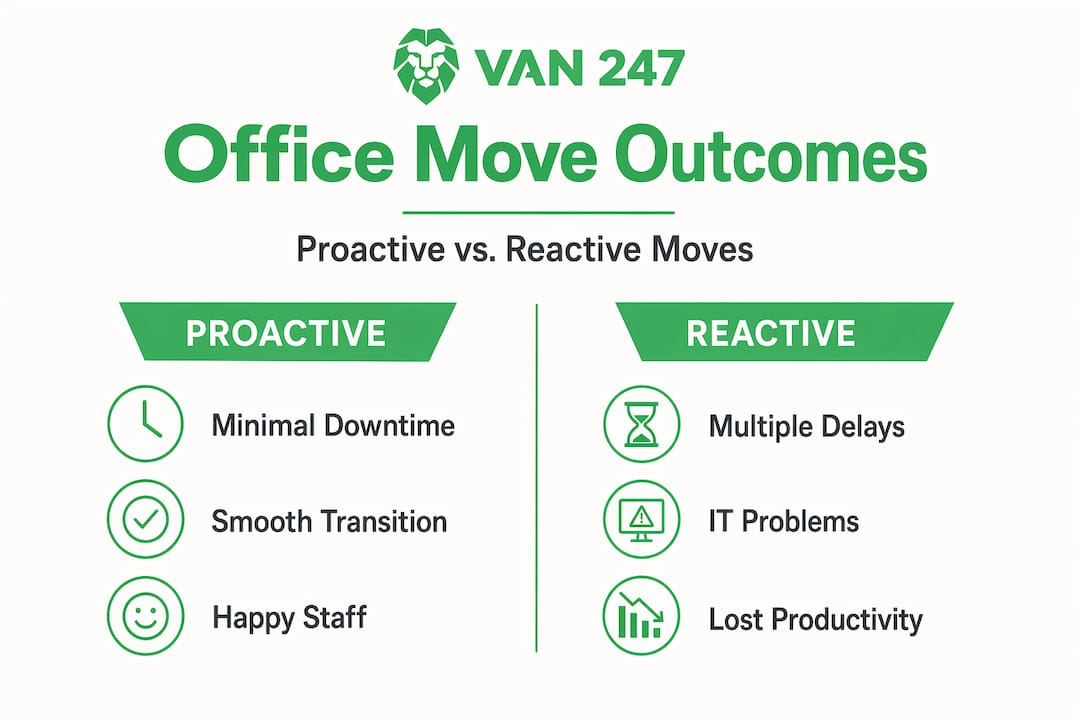
Good planning is the backbone of any successful office relocation. The goal isn’t just to move your desks. It’s to keep your business running throughout the process. Here’s how the best-planned moves look compared to reactive ones:
| Planning approach | Typical outcome |
|---|---|
| Reactive, last-minute | Multiple days of downtime, IT failures, staff confusion |
| Structured with 8-week plan | 1 to 2 days partial disruption, faster recovery |
| Parallel infrastructure and full audit | Near-zero downtime, confident staff, operational from day one |
The numbers speak for themselves. A structured approach, even with modest preparation time, dramatically reduces the disruption your team experiences.
The essential pre-move steps:
- Assemble a project team early. Appoint a move coordinator and involve IT, facilities, HR, and finance leads from the start. Decisions made without these voices often create problems on move day.
- Conduct a full IT and infrastructure audit. Catalogue every piece of hardware, every software licence, every server, and every connectivity requirement. Know what you have before you start planning what you need.
- Survey the new premises thoroughly. Visit the new site and confirm power points, data cabling capacity, broadband availability, and physical access logistics. Surprises here are expensive.
- Set a realistic timeline with buffer days. Work backwards from your desired move date and build in buffer for delays. Telecoms providers, in particular, can have longer lead times than expected in the UK.
- Communicate with staff and vendors. Tell your team early, explain what’s happening and when, and confirm address changes with suppliers, clients, and your bank well in advance.
- Brief your removal company in detail. The more context your logistics provider has, the smoother the physical move becomes. Share floor plans, equipment lists, and any specialist requirements.
One of the smartest strategies available to you is running parallel infrastructure: keeping your old site operational while the new one comes online, rather than cutting over in a single, high-risk switch. This approach means staff experience minimal interruption because systems are live and tested before the physical move happens.
Review our office move tips and our detailed office move checklist to build your own tailored plan.
Pro Tip: Order your broadband and telecoms connections at the new premises at least six to eight weeks before move day. UK providers can take longer than expected, and a delay here can hold up everything else.
Once you have the requirements and timeline established, move forward with step-by-step execution.
Executing your office move: Minimising disruption and downtime, efficient office moving process
Move day itself is where the best-laid plans either hold up or fall apart. The good news is that with solid preparation behind you, the physical day becomes much more manageable. Think of it as the final act of a well-rehearsed production. Everyone knows their role.
Your move day checklist:
- Confirm removal crew arrival times the evening before
- Ensure IT team is on-site to oversee equipment disconnection and reconnection
- Have a named point of contact for every department
- Keep a printed copy of the floor plan at both sites
- Maintain mobile numbers for all key vendors and service engineers
- Arrange secure, supervised access at both locations
- Set up a temporary comms channel (such as a group chat) for the move team
Maintaining business continuity during the move itself is easier than it sounds. If you’ve set up parallel infrastructure correctly, a proportion of your team can continue working remotely or from a temporary location while the physical move is underway. Customer-facing staff, in particular, should be the last to move and the first to be connected at the new premises.
A key principle here: running parallel infrastructure at both sites during the transition, rather than a single cutover, is the single most effective way to protect operational continuity. It requires more coordination upfront, but the payoff is enormous.
Connectivity is the make-or-break factor on move day. Don’t treat telecoms and Wi-Fi as last-minute tasks. UK move specialists consistently flag late connectivity decisions as the primary cause of avoidable Monday-morning chaos after a weekend move.
Avoiding common pitfalls is just as important as following best practice. The most frequent mistakes businesses make on move day include:
- Assuming broadband will “just work” at the new premises without testing
- Moving server equipment without proper shutdown and packaging procedures
- Forgetting to update Google Business Profile, Companies House, and HMRC with the new address
- Leaving no one behind at the old premises to handle last-minute queries
- Not labelling equipment clearly, leading to hours of unpacking confusion
Our office removals service is designed specifically to handle these physical logistics, giving your internal team the headspace to focus on keeping the business running during the transition.
For a city-specific walkthrough, our London office move checklist covers the additional complexities of moving in a busy urban environment, from parking permits to lift access and loading bay restrictions.
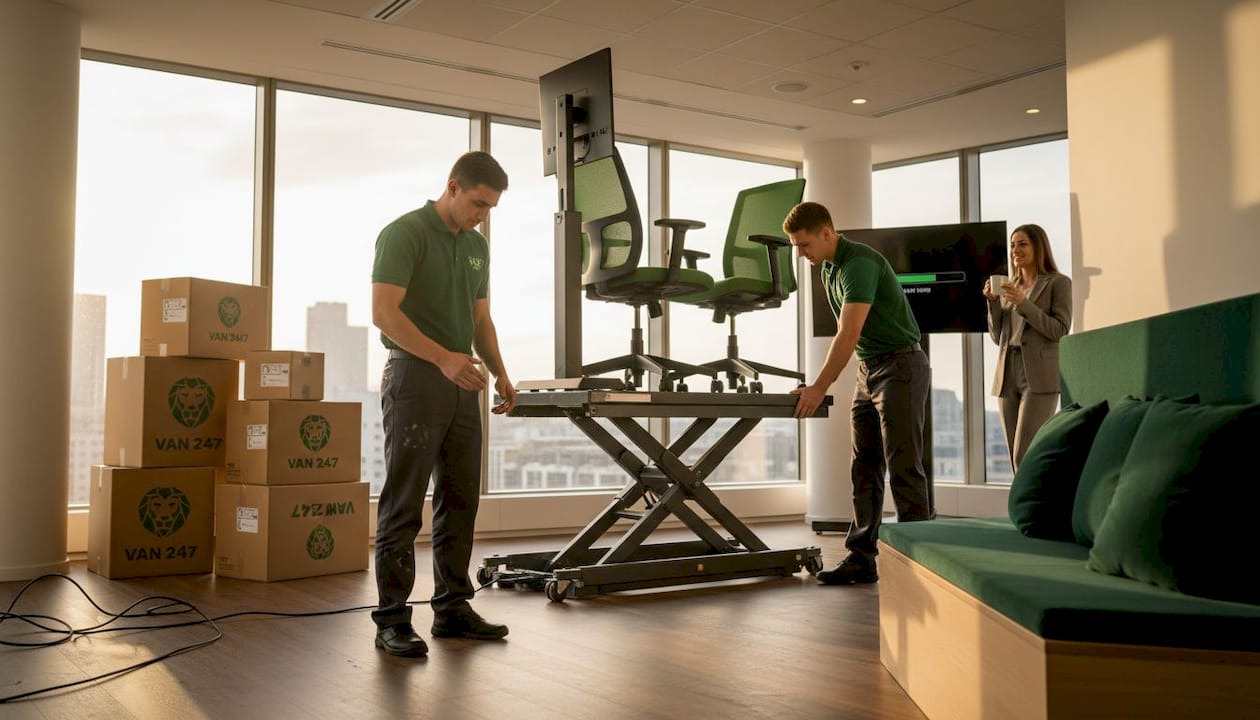
Pro Tip: Do a full connectivity test at the new premises the Friday before a Monday move. Walk through every workstation, test the phones, and log on to every critical system. Fix problems over the weekend, not on Monday morning with 50 staff waiting.
After the physical move, attention must turn to verifying and settling in.
Post-move verification: Ensuring a smooth transition and full productivity part of efficient office moving process
The move is done. Boxes are in. But you’re not finished yet. The 48 hours after a physical relocation are critical for identifying and resolving issues before they become costly problems.
Your post-move verification steps part of efficient office moving process:
- Run a full IT systems check. Test every workstation, printer, phone line, and server connection. Don’t rely on staff to report problems; conduct a systematic sweep.
- Verify internet and telecoms are fully operational. Check download speeds against your contracted service, confirm VoIP calls are connecting correctly, and test any video conferencing setups.
- Conduct a walk-through with department heads. Ask each team lead to confirm their area is set up correctly and flag anything missing or malfunctioning.
- Update all external directories and records. Companies House, HMRC, your bank, insurance providers, and any regulatory bodies must all receive your new address promptly.
- Establish a clear issue-reporting process. Create a simple form or channel for staff to flag problems in the first week. Centralising this avoids things slipping through the cracks.
- Debrief your project team within two weeks. Capture what went well and what didn’t while it’s still fresh. This documentation is invaluable if you ever need to relocate again.
The businesses that recover fastest after a move are the ones who treat connectivity verification as a formal sign-off stage, not an assumption. Build this into your move plan as a non-negotiable checkpoint.
Staff orientation is often overlooked but genuinely matters. People work better when they feel settled. A brief all-hands walk-through of the new space, clear signage for facilities, and a designated point of contact for questions all help your team settle in faster. The quicker people feel at home, the quicker productivity returns.
Our move plan for your office gives you a structured framework to work through both the physical relocation and the post-move verification stages systematically.
Reflecting on these processes reveals lessons and advanced strategies that can further optimise future moves.
Why most office moves fail to achieve minimal downtime—and how to get it right
Here’s our honest take, based on years of supporting UK businesses through relocations: most office moves fail to achieve minimal downtime not because the logistics were wrong, but because business continuity was treated as someone else’s problem.
The conventional approach is to focus on the physical move, get the boxes shifted, and then deal with connectivity, IT, and operational issues once staff arrive. This is exactly backwards. The physical move is the easy part. It’s the systems, the connectivity, and the human transition that determine whether your business is back at full capacity in a day or a fortnight.
We’ve seen businesses spend considerable money on high-quality furniture and a premium new address, then blow the entire investment by failing to confirm their broadband circuit was active before move day. A single oversight like that can cost more in lost productivity than the entire removal fee.
The other missed opportunity is parallel infrastructure. It sounds technical, but the concept is simple: don’t switch off until the new setup is fully working. Most businesses don’t do this because it requires a little more coordination and sometimes a short period of paying for two connections. But that small additional cost is trivial compared to the downtime it prevents.
Our advanced relocation analysis reinforces this consistently. The businesses that come out of a relocation stronger are the ones who treated it as a strategic event, not a removal job. They planned for continuity, tested obsessively, and communicated clearly. You can do the same.
Efficient office move? Van-247 helps you minimise downtime
Planning an office move and feeling the pressure to get it right? You’re not alone, and you don’t have to manage every detail by yourself.
At Van-247, we’ve been supporting UK businesses through office relocations for over 15 years. Our office removals service is built around one priority: keeping your business moving with as little disruption as possible. From careful equipment handling and labelled packing to flexible scheduling around your operational needs, we take the physical relocation off your plate so your team can stay focused. Need something more agile? Our man and van near you option is ideal for smaller teams or phased moves. And if you’re also managing a personal relocation alongside your business move, our UK moving company services have you covered on both fronts. Get an instant quote today and let’s plan your smoothest move yet.
Frequently asked questions
How much downtime should I expect during an office move?
With proper planning and parallel infrastructure in place, downtime can be reduced to a minimal window, often hours rather than days, rather than the multi-day disruption that comes with unplanned moves.
What is the average cost of downtime for a UK small business?
For a UK SME with 30 to 50 employees, daily downtime costs typically range from £5,000 to £25,000 or more, depending on the complexity of IT infrastructure and the nature of the business.
How can I avoid IT and connectivity issues during an office move?
Treat telecoms and Wi-Fi as a priority, not an afterthought. Confirming connectivity details and testing all systems before staff return is the single most effective way to avoid last-minute chaos.
What is the best first step in planning an efficient office move?
Start with a full audit of your current and future requirements, then assemble a cross-functional project team early, ideally eight to twelve weeks before your planned move date, so every department has a voice in the process.